Here's how to create a new eCitizen account in Kenya:
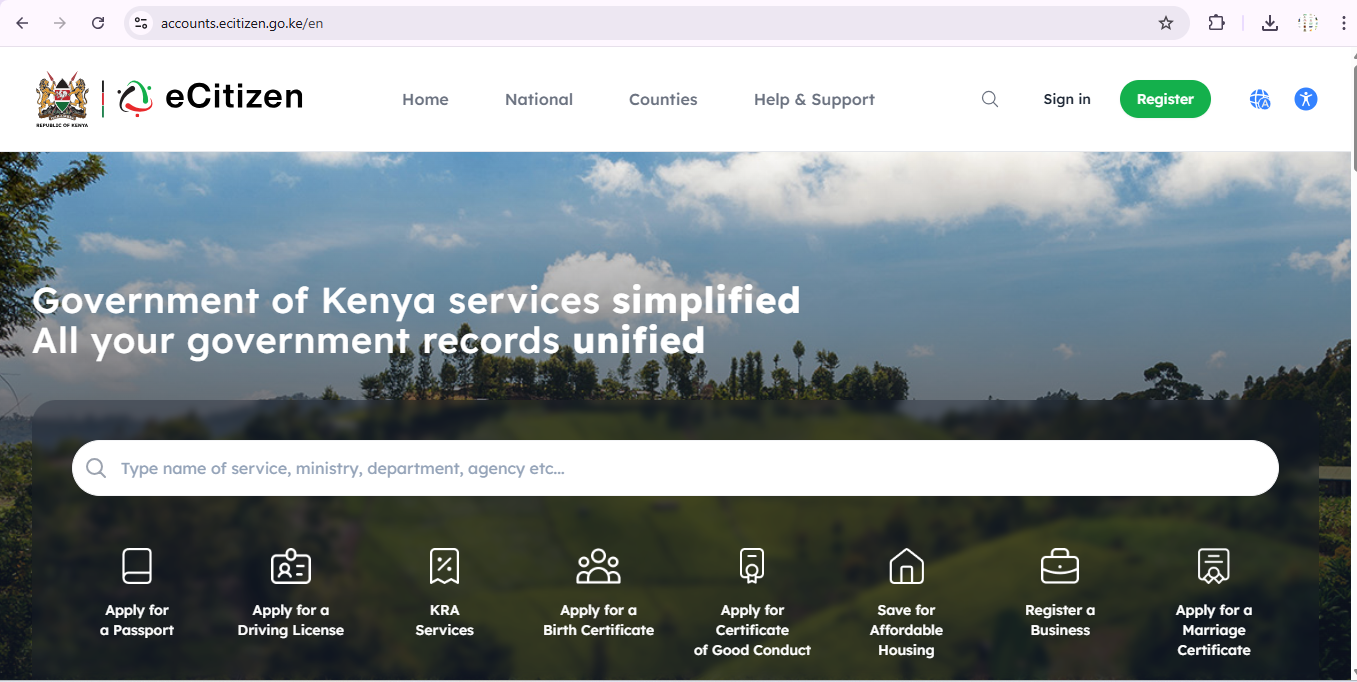
Step 1: Visit the eCitizen Portal Go to ecitizen.go.ke in your web browser.
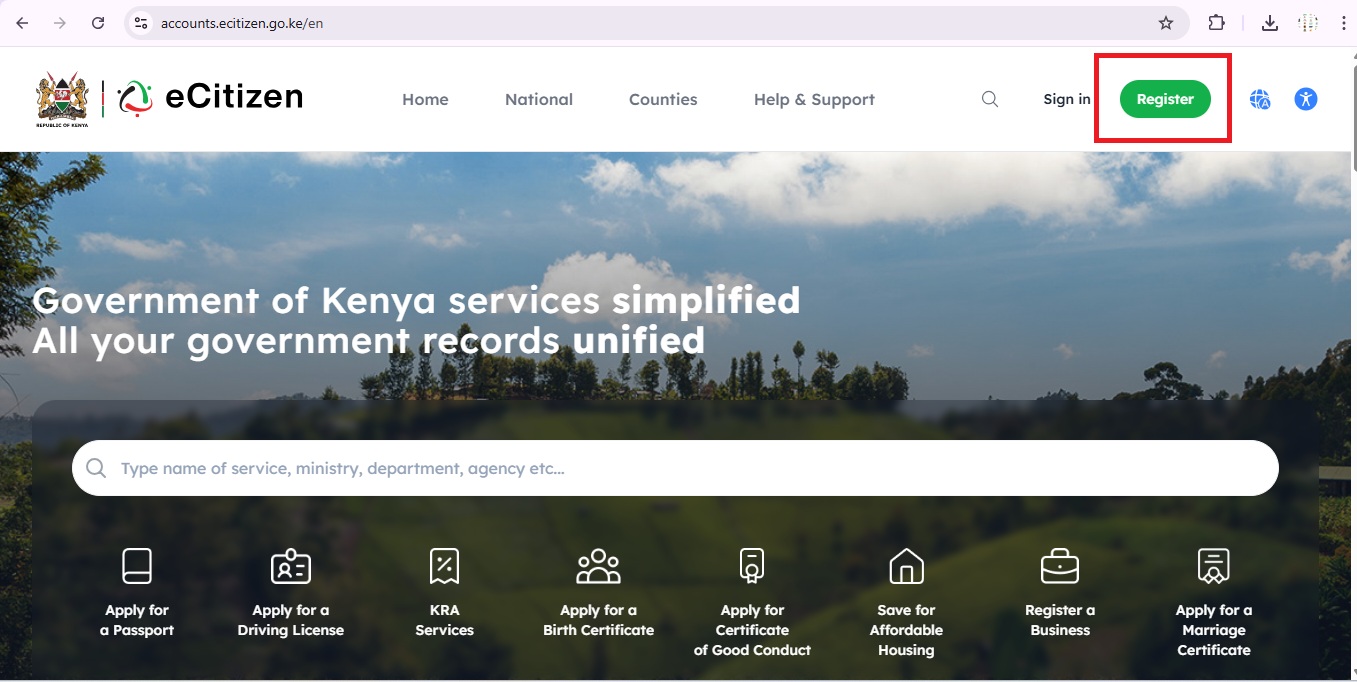
Step 2: Click "Create Account" On the homepage, click the "Create Account" or "Register" button.
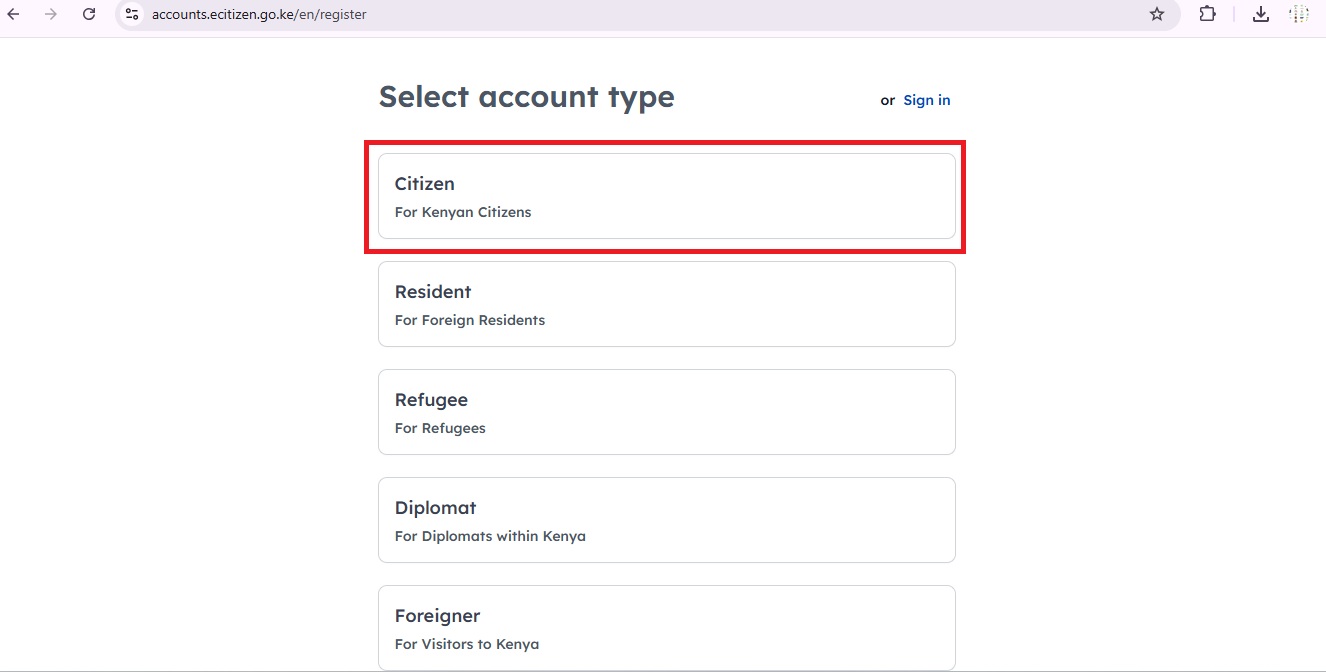
Step 3: Choose Account Type Select the appropriate account type:
1. Citizen
For Kenyan Citizens
Select this option if:
You were born in Kenya and hold Kenyan citizenship
You have a valid Kenyan National ID card or you are a Kenyan citizen aged 18 years and above
You are a Kenyan living locally or in the diaspora (abroad)
This is the most commonly used account type for most Kenyans accessing government services.
2. Resident
For Foreign Residents
Select this option if:
You are a non-Kenyan citizen but you live and reside in Kenya
You hold a valid Alien ID card issued by the Kenyan government
You are a foreigner who has been granted legal residence in Kenya
3. Refugee
For Refugees
Select this option if:
You are a person who has been officially recognized as a refugee in Kenya
You hold a valid Refugee ID or Refugee Certificate issued by the relevant Kenyan authority (UNHCR or Department of Refugee Services)
You are currently living in Kenya under refugee status
4. Diplomat
For Diplomats within Kenya
Select this option if:
You are a foreign diplomat posted or working within Kenya
You are attached to an embassy, consulate, or international organization based in Kenya
You hold a valid diplomatic passport or diplomatic identification
5. Foreigner
For Visitors to Kenya
Select this option if:
You are a visitor or tourist in Kenya and are not a resident
You hold a valid foreign passport
You do not have a Kenyan ID, Alien ID, or diplomatic credentials
You are in Kenya on a short-term basis such as for tourism, business visits, or transit
For this case I will take the Citizen option because I was born in Kenya and that I own the Kenyan citizenship.
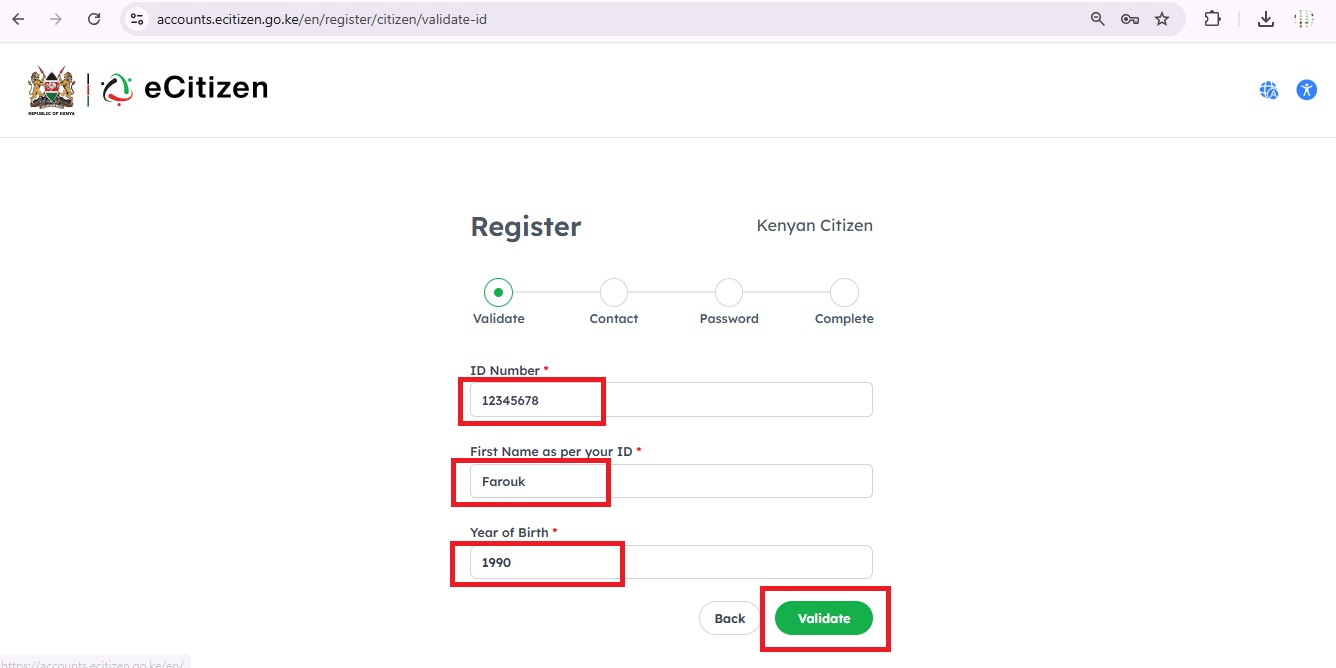
After clicking on Citizen, you will be taken to the next page where you will be required to fill in the following details:
Step 4: Validaation of your ID Number
1. ID Number (Required)
Click on the "ID Number" field
Type in your Kenyan National ID number exactly as it appears on your physical ID card
Make sure there are no spaces or extra characters
This number is usually 7 to 8 digits long
Its important that the ID number you enter must be the same ID that was used when you were registered by the government. If the number is wrong, validation will fail.
2. First Name as per your ID (Required)
Click on the "First Name as per your ID" field
Type in your first name exactly as it appears on your National ID card
Make sure the spelling is correct, even a single wrong letter will cause validation to fail
Do not use nicknames or shortened versions of your name
Make sure that you look at your physical National ID card and copy the first name exactly as printed on it, including the correct spelling.
3. Year of Birth (Required)
Click on the "Year of Birth" dropdown menu
A list of years will appear
Scroll through and select the year you were born
Make sure it matches the year of birth on your National ID card
What to Do After Filling in the Fields
Once you have correctly filled in all three fields:
Double-check that all the information matches what is on your National ID card
Click the "Validate" button on the bottom right of the page
The system will cross-check your details against the government database
If your details are correct and match, you will automatically move on to Step 2: Contact
If your details are incorrect, you will receive an error message asking you to try again
Step 5: Create Login Credentials
Set a username
Create a strong password and confirm it
Step 6: Verify Your Account
An OTP (One-Time Password) will be sent to your phone number
Enter the OTP to verify your account
Step 7: Complete Registration
Accept the Terms and Conditions
Click "Submit" or "Register"
You'll receive a confirmation message
Step 8: Log In to Your eCitizen Account
Once you have successfully completed your registration, you are now ready to log in to your eCitizen account and start accessing various government services online.
How to Log In
1. Go to the eCitizen Website
Open your web browser (Chrome, Firefox, Edge, etc.)
Type in the address: ecitizen.go.ke or accounts.ecitizen.go.ke/en/login
Press Enter to load the page
2. Click on "Sign In"
On the eCitizen homepage, click the "Sign In" button
You will be directed to the login page
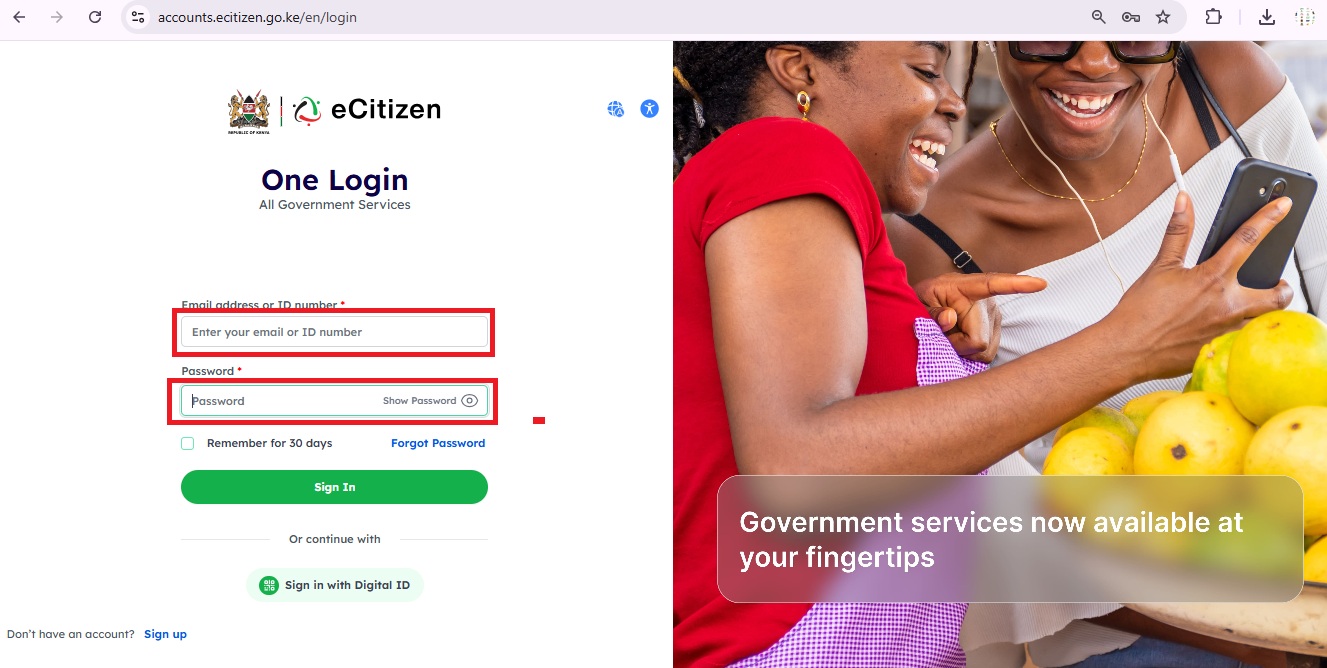
3. Enter Your Login Credentials
You will be asked to provide:
Username or ID Number — Enter the username you created during registration or your National ID number
Password — Enter the password you set during registration
Make sure CAPS LOCK is off when typing your password as passwords are case-sensitive
4. Click "Sign In" or "Log In"
After entering your credentials, click the "Sign In" button
The system will verify your details
If correct, you will be taken to your eCitizen dashboard
5. OTP Verification (If Required)
In some cases, the system may send a One Time Password (OTP) to your registered phone number as an extra security step
Check your phone for the OTP message
Enter the OTP in the field provided
Click "Confirm" or "Verify" to proceed.
After successfully logging in to your eCitizen account, you will be taken to your personal dashboard where you can access a wide range of Kenyan government services all in one place. From the dashboard, you can apply for or renew your Kenyan passport through the Department of Immigration, manage your driving license and vehicle details through NTSA, apply for or retrieve your KRA PIN and file your tax returns through the Kenya Revenue Authority, and register a new business or company through the Business Registration Service. You can also apply for an NHIF health insurance cover, access your NSSF social security contributions, apply for a Police Clearance Certificate (Good Conduct), and request birth, death, or marriage certificates through the Civil Registration Services. Additionally, you can access land search and land rate payment services, apply for a HELB student loan, pay for various government fees and levies online, and track the status of any application you have previously submitted. All these services are conveniently available online, saving you the time and effort of having to physically visit different government offices across the country.
Similiar Posts

March 25, 2025
• 24 min read
November 08, 2024
• 10 min read
November 13, 2024
• 10 min read